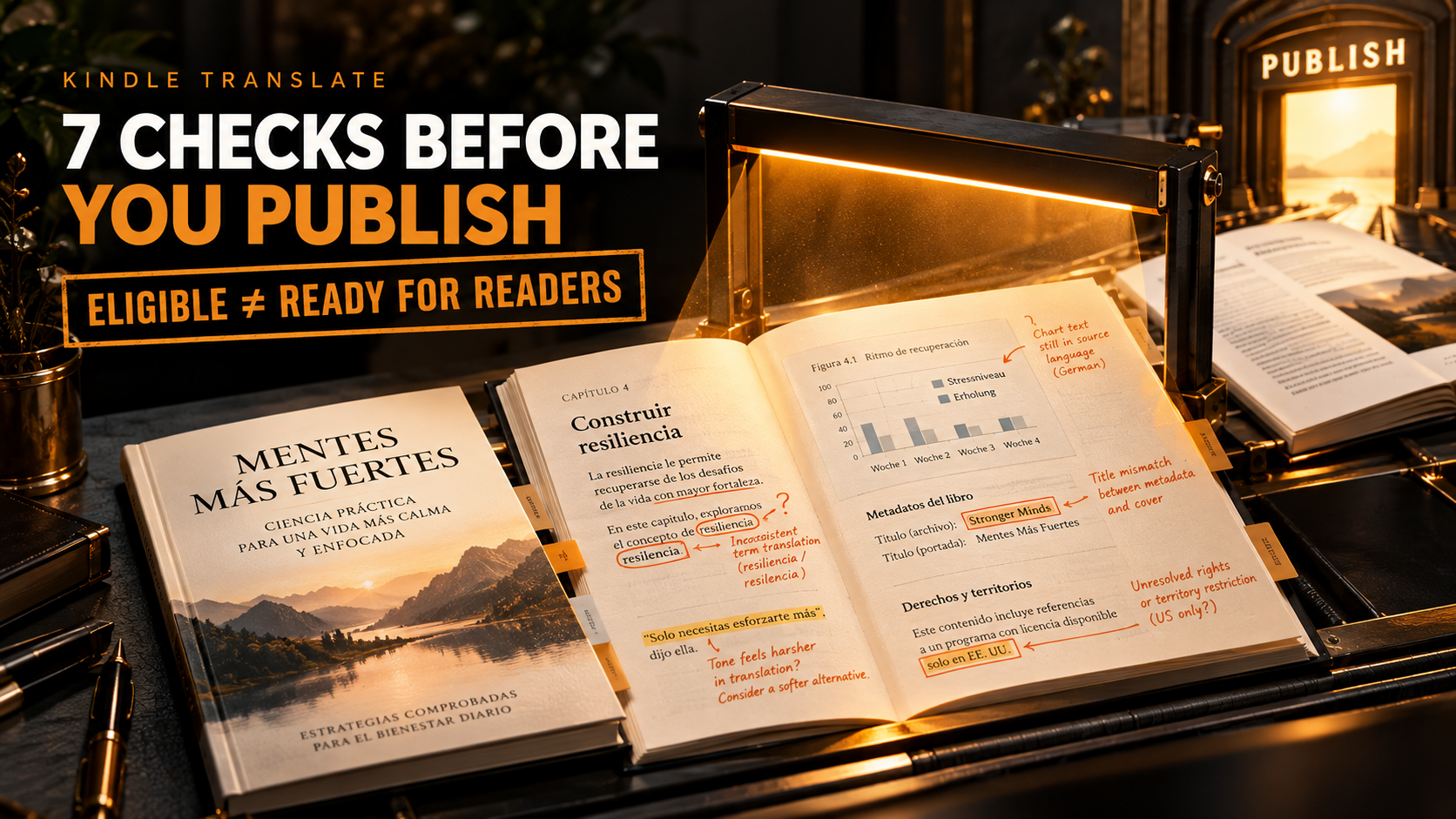
The translation can look finished long before it is ready for readers.
Kindle Translate can take an eligible KDP eBook and create another language edition inside your Bookshelf. But eligibility is only the first gate. A translated chapter can sound fluent while a repeated technical term is wrong. A joke can lose its meaning. Text inside an image can stay in the source language. A cover can carry the wrong title after the source book changes.
And if Kindle Translate is not eligible appears beside your book, publishing cannot even begin until you know what is blocking it.
The safest approach is not complicated:
Check the source book. Check the translation. Check the rights. Then decide whether the new edition deserves to go live.
Key Takeaways
- Kindle Translate remains an invite-only beta for eligible KDP eBooks.
- “Eligible” and “good enough to publish” are two different judgments.
- Amazon runs its own translation-quality checks, but authors should still inspect terminology, meaning, tone and formatting.
- Some content cannot currently be translated through the feature, including text embedded in images and book subtitles.
- Rights, metadata, covers and existing translated editions need checking before automatic publication.
- External AI-generated translations follow KDP’s AI disclosure rules.
What Is Kindle Translate in 2026?
Kindle Translate is Amazon’s AI-powered translation feature for eligible KDP eBooks. It operates inside KDP rather than requiring authors to export a manuscript to a separate translation platform.
The service is currently an invite-only beta. Eligible authors can create translated eBook editions, preview them, set pricing and territorial rights, and publish them through their KDP Bookshelf. Kindle Translate cannot currently create paperback, hardcover or audiobook translations.
Current language pairs use English as the central language:
| Source language | Kindle Translate target |
|---|---|
| English | French, German, Italian, Portuguese and Spanish |
| French | English |
| German | English |
| Italian | English |
| Portuguese | English |
| Spanish | English |
You cannot currently use the feature for German-to-French, Spanish-to-Italian or other combinations where neither side is English.
Interest is understandable. Amazon reports that fewer than 5% of titles on Amazon.com are available in more than one language, leaving a large portion of the catalog available only to readers of its original language.
See Amazon’s current Kindle Translate overview
Kindle Translate Not Eligible: What the Message Usually Means
Seeing no Translate your eBook option does not necessarily mean something is broken.
Two separate gates matter:
Beta access: Kindle Translate is still invitation-only.
Book eligibility: even an invited account needs an eBook that meets Amazon’s criteria.
When an eBook is live, Amazon checks it against the eligibility requirements. Eligible titles receive the translation option on the Bookshelf. When a title is ineligible, KDP may show Why isn't my eBook eligible? with the reason.
Kindle Translate Eligibility Checklist
| Check | Requirement | What to Do if It Fails |
|---|---|---|
| Publication status | Source eBook must be Live | Wait until publishing finishes |
| Pre-order | Pre-order titles do not qualify | Wait until the book is live |
| Format | eBook must be reflowable | Rebuild fixed-format content where appropriate |
| Source language | Must use a supported primary language | Confirm the correct KDP language setting |
| Original source | Existing translations are not eligible | Start with the original-language edition |
| Public domain | Primarily public-domain books do not qualify | Use another translation route |
| Cover | Source eBook needs a cover | Add a valid eBook cover |
| Contributor | Primary author or contributor is required | Correct the book details |
| Content structure | Book must be suitable for translation | Review complex formatting and content |
| KDP processing | Post-publication processing must finish | Allow KDP processing to complete |
Amazon says post-publication translation preparation can take up to 72 hours. If the eligibility message remains after that processing period, its guidance says to contact KDP support.
Check Amazon’s Kindle Translate eligibility and troubleshooting guide
The 7 Checks Before You Publish
Amazon determines whether its system can produce a translation.
You still need to decide whether that translation belongs in front of your readers.
Use these seven checks before approving the new edition.
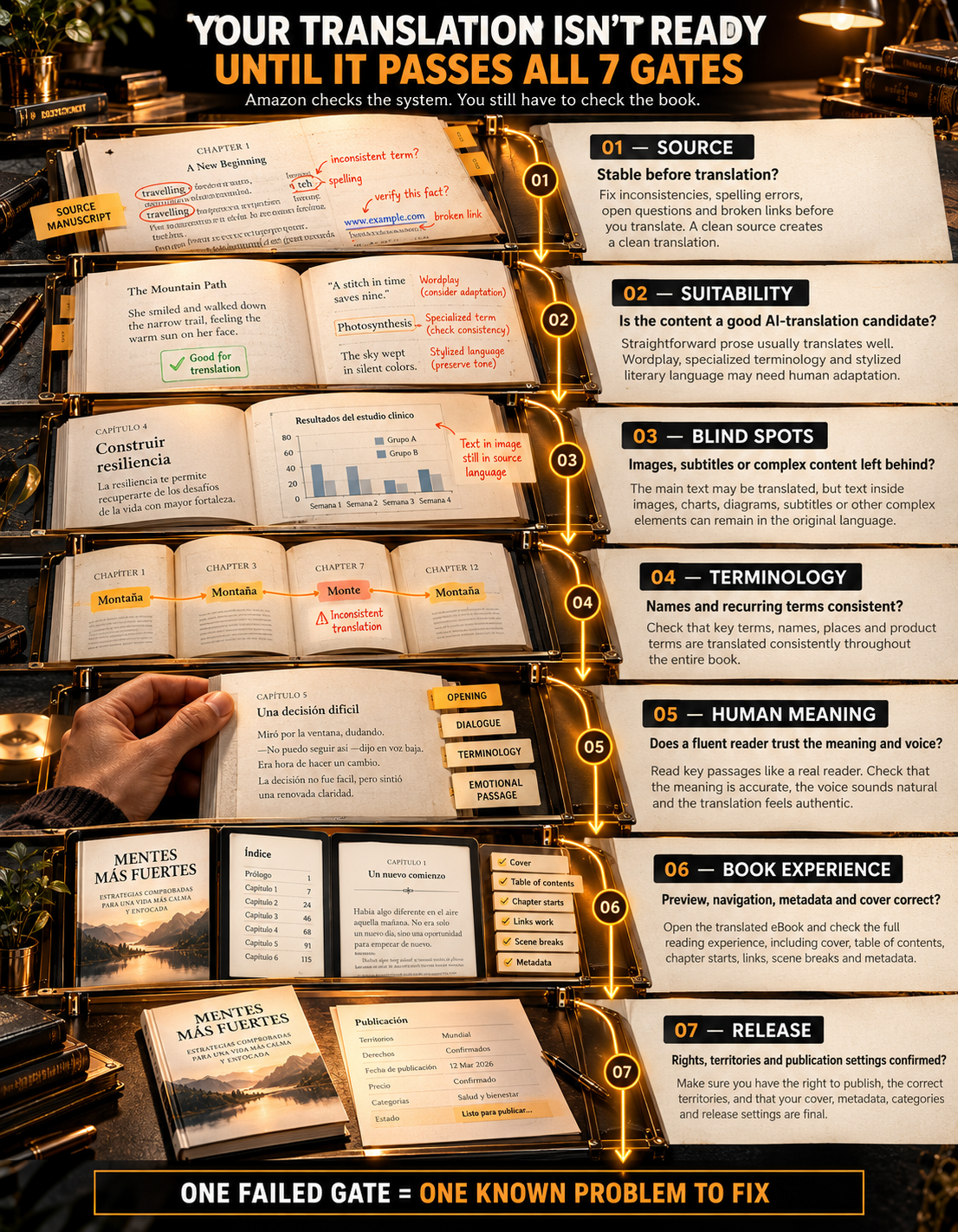
Check 1: Is the Source eBook Actually Ready to Translate?
Translation multiplies whatever already exists.
If the source manuscript contains inconsistent terminology, unfinished edits, incorrect names, broken links or unclear instructions, the translated edition inherits a harder problem.
Before starting, check:
- spelling of names and places
- repeated terminology
- units and measurements
- abbreviations
- internal links
- chapter headings
- quotations
- source-language errors
- inconsistent capitalization
- unresolved manuscript corrections
Do not treat translation as a way to clean an unfinished source edition.
Finish the source first.
If the eBook itself needs file work, Amazon KDP Experts’ eBook formatting support can address EPUB structure, navigation and publication-file preparation before the translation stage.
Check 2: Is Your Book a Good Candidate for Automatic Translation?
Some writing gives translation software a relatively clear task.
Other writing asks it to interpret tone, culture, ambiguity and wordplay.
Amazon currently lists standard prose, dialogue, fiction, narrative nonfiction, business books, self-help and straightforward instructional content among material that generally translates more successfully.
It warns that highly technical terminology, complex wordplay, poetry, extensive cultural references and complicated formatting may produce a weaker reader experience.
Use a Green, Amber, Red Content Map
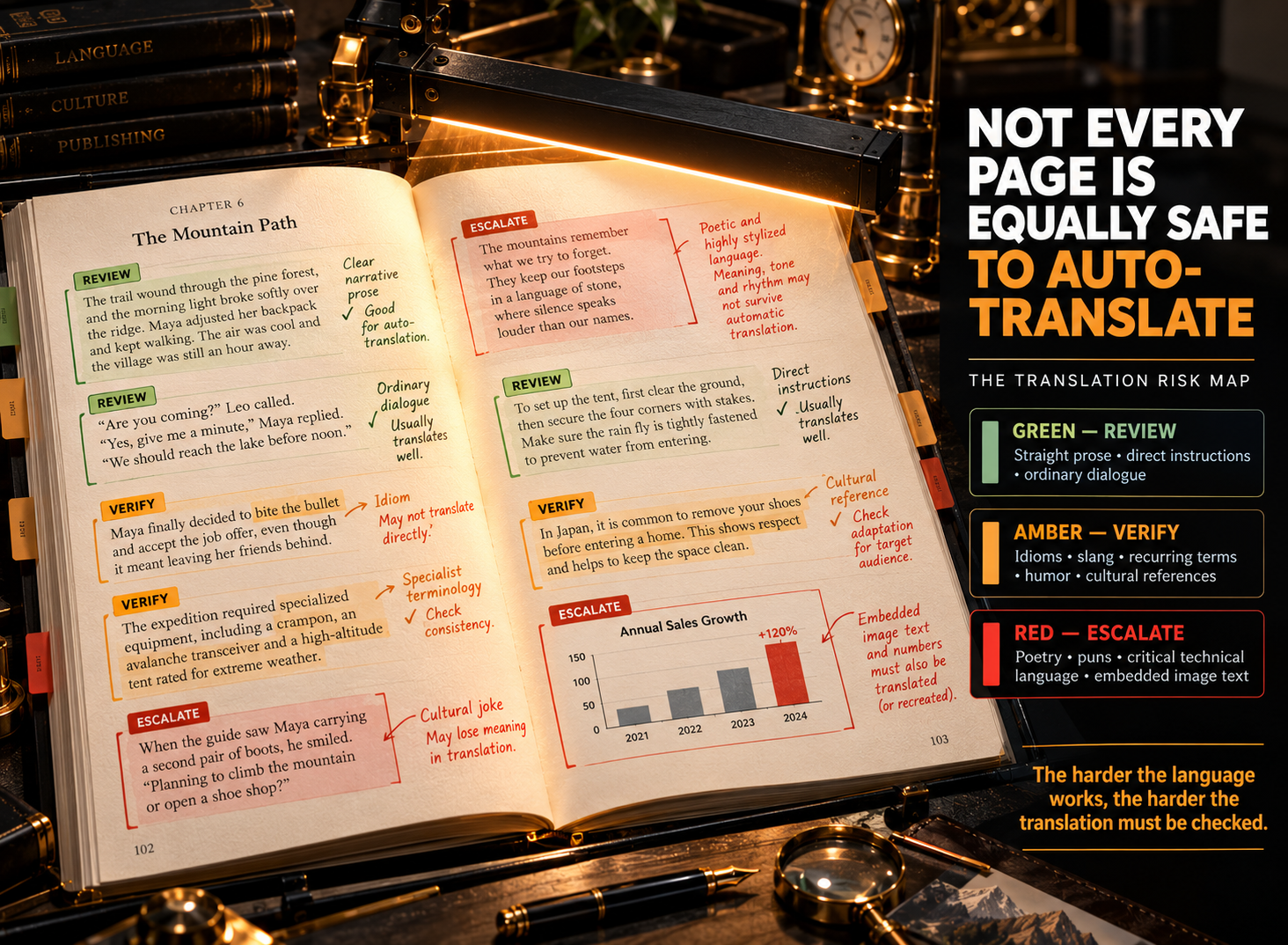
GREEN
Straight prose, ordinary dialogue, basic business explanations and direct instructions.
These passages still require review, but their meaning is comparatively explicit.
AMBER
Genre slang, specialist terminology, recurring invented terms, humor, idioms, measurements, regional speech and cultural references.
Review these carefully.
RED
Poetry, puns, language-dependent jokes, heavily stylized prose, complex multilingual passages, crucial legal or technical language and text embedded inside graphics.
Consider human translation or native-language editorial review before publication.
This does not mean every red passage must stop the project.
It means the passage deserves more attention than a normal paragraph.
Check 3: What Will Kindle Translate Not Translate?
This is one of the easiest problems to miss because the surrounding chapter may look complete.
Amazon currently states that Kindle Translate cannot translate:
- text embedded inside images, charts or graphics
- complex infographics and data visualizations
- excerpts written in a language different from the book’s primary language
- book subtitles
Picture a sourdough guide containing twelve photographs.
The recipe paragraphs may translate acceptably.
But if oven settings, ingredient labels or warning text are baked into the images, those words remain part of the image. A reader opening the translated edition may therefore encounter a translated chapter beside untranslated instructions.
That is not a translation error inside the prose.
It is a production problem.
Review every image containing language before publication.
Check 4: Have You Built a Terminology Sheet Before Reviewing?
A fluent sentence can still use the wrong term.
Books often depend on words that need to remain stable from beginning to end:
- character names
- fictional places
- brands
- recipe terms
- industry phrases
- product names
- units
- acronyms
- titles
- recurring concepts
Create a simple terminology sheet before reviewing the output.
Use three columns:
| Source Term | Approved Target-Language Term | Notes |
|---|---|---|
| Brand or name | Approved spelling | Never translate |
| Technical term | Preferred equivalent | Keep consistent |
| Measurement | Target-market form | Verify meaning |
Kindle Translate does not currently provide direct editing of its translated text. Your terminology sheet is therefore primarily a review tool, not an instruction file you can use to manually rewrite individual Kindle Translate passages. Amazon currently lets authors preview the translation but not directly edit its text.
That limitation changes how you should review.
Do not wait until the last page to notice that one repeated term has been translated incorrectly throughout the book.
Check 5: Has a Fluent Reader Tested Meaning, Not Just Grammar?
Amazon already performs automated quality evaluation.
Its Kindle Translate quality process checks areas including mistranslation, idiomatic expressions, named entities, additions and omissions, terminology consistency, form of address, gender consistency, grammar and spelling. A translation that fails Amazon’s threshold may receive Cannot be published rather than becoming available for release.
That is useful.
It should not be confused with a personal editorial sign-off for your particular book.
Review Four Types of Passage
Send a fluent target-language reviewer:
1. The opening page
Does the voice feel natural from the first paragraph?
2. A dialogue-heavy passage
Do characters sound like people rather than literal translations?
3. A terminology-heavy section
Are recurring terms accurate and consistent?
4. An emotional or concluding passage
Did the meaning, tone and emphasis survive?
Add any passage containing measurements, links, technical claims, jokes or culturally specific language.
Ask the reviewer three questions:
Is the meaning accurate?
Does it sound natural in this language?
Are recurring names and terms consistent?
If one small issue repeats, search for the pattern.
If meaning changes unpredictably across the samples, stop treating the issue as a minor cleanup job.
For voice-driven fiction in particular, your source material reaches the same practical conclusion: machine output becomes safer when a native-language editorial pass checks tone, dialogue and continuity.
Check 6: Does the Preview Work as a Book?
Translation quality is only half of the reader experience.
Preview the translated edition before publishing.
Check:
- chapter starts
- paragraph breaks
- table of contents navigation
- links
- italics and emphasis
- scene breaks
- lists
- copyright page
- untranslated image text
- missing material
- final pages
- cover
- title display
Amazon allows authors to preview the translated content and cover before publishing. It also holds translated editions to the same content-quality rules as the source eBook.
Pay Particular Attention to Metadata
Kindle Translate creates the translated edition from the source eBook’s existing book details.
Those translated book details cannot currently be edited independently from the source eBook. If you change source metadata, the translated editions are updated through the source-book workflow.
This matters when titles, author details or other visible information change after the translated edition has been prepared.
Check 7: Are Rights, Covers and Release Settings Correct?
The final check happens outside the prose.
Confirm Translation Rights
Kindle Translate’s terms require you to hold the applicable translation rights for the source book.
Do not assume owning one publishing edition automatically answers every territorial or translation-rights question if a contract, publisher or collaborator is involved.
Review the Cover
Kindle Translate can use a default translated-edition cover based on the source cover, with a white border and language label.
You may upload another cover instead.
If the source title later changes, review any custom translated covers so the cover and current translated metadata still agree.
Think Carefully Before Turning On Automatic Future Languages
KDP lets eligible authors automatically translate and publish into newly supported languages.
That setting requires worldwide distribution rights.
Amazon also warns that automatic publication can create a duplicate-language edition if you already have a translation in that language. Only one translated edition per language should ultimately remain available in the Kindle Store.
Automatic publication removes a decision point.
Use it only when you are comfortable with that tradeoff.
What Does “Ready to Publish” Actually Mean?
Amazon’s status and your editorial decision answer different questions.
| Status / Situation | What It Means | Your Next Decision |
|---|---|---|
| Kindle Translate not eligible | Source title has not passed eligibility or access requirements | Fix the listed source-book issue where possible |
| Translation processing | Kindle Translate is creating/evaluating the edition | Wait for the result |
| Cannot be published | Translation did not pass Amazon’s current quality threshold | Do not force release through this workflow |
| Ready to publish | Amazon’s system completed and passed its quality process | Preview and run your author-level checks |
| Fluent reviewer finds repeated meaning errors | Platform approval is not enough for this book | Consider another translation route |
| All checks pass | Platform, language, rights and presentation are acceptable | Publish when you are satisfied |
Amazon says translations that fail because of current technology limitations may be translated again automatically later as Kindle Translate improves, and authors can be notified when a later version becomes available.
Kindle Translate’s Quality Check Is Not the Same as Your 7 Checks
This distinction is important.
Amazon has its own seven-step quality assurance threshold for Kindle Translate.
The seven checks in this guide are different.
Amazon’s process asks whether its translation meets the platform’s current threshold.
Your process asks whether the translation fits:
- THIS BOOK
- THIS AUTHOR
- THIS TERMINOLOGY
- THIS AUDIENCE
- THESE RIGHTS
- THIS COVER
- THIS RELEASE PLAN
Both matter.
Passing Amazon’s system means the edition can move forward.
It does not require you to stop reviewing it.
What If Kindle Translate Cannot Be Edited Directly?
This limitation should influence the decision before you publish.
Amazon currently allows previewing translated text, but direct text editing is not available inside Kindle Translate.
When you update the source eBook manuscript, KDP can prompt you to retranslate and republish the translated editions.
That works well when the source needs correction.
It is less convenient when the source is correct but a specific target-language rendering remains wrong.
At that point, ask whether the problem is:
source ambiguity
or
translation output
Fix source ambiguity at the source.
When the target translation itself cannot be trusted, a separately produced human or professionally reviewed translation may be the better route.
What About AI Translation Disclosure?
Here the workflow matters.
Kindle Translate is Amazon’s own AI translation feature. Amazon knows which editions were created through the service, and Kindle Translate editions are identified in the Amazon Store.
A different rule matters when you use an external AI tool to create the actual translated text and then upload that translation as a normal KDP book.
KDP’s current Content Guidelines classify translations created by an AI-based tool as AI-generated content, even when a person later substantially edits them. KDP requires AI-generated translations to be disclosed during publication.
Read KDP’s current AI content rules
Do not mix up:
Kindle Translate edition created inside Amazon’s feature
with
AI-translated manuscript created elsewhere and uploaded independently.
The production history is different.
A Practical Publish-Gate Scorecard
Before clicking publish, answer all seven questions.
| Check | Pass? |
|---|---|
| Source eBook is eligible and stable | ☐ |
| Content is suitable for automatic translation | ☐ |
| Non-translatable and high-risk material has been identified | ☐ |
| Names and recurring terminology have been checked | ☐ |
| Fluent reviewer trusts meaning and naturalness | ☐ |
| Preview, metadata and cover have been checked | ☐ |
| Rights and release settings are correct | ☐ |
One unchecked box does not always mean abandon the translation.
It means you know exactly what still needs attention.
That is far better than publishing first and discovering the problem through readers.
When Is Kindle Translate a Good Fit?
Kindle Translate makes the strongest case when:
- the source eBook is already clean and stable
- the book uses mostly straightforward prose
- terminology can be checked consistently
- you hold the relevant translation rights
- someone fluent can review critical passages
- the new edition stays within Kindle Translate’s current format limitations
Consider a different route when the manuscript depends heavily on:
- Poetry
- Wordplay
- Regional Language
- Highly Specialized Terminology
- Multilingual Passages
- Dense Graphics
- Translated Image Text
- Fine Literary Nuance
- Target-Language Rewriting That You Need To Control Manually
Technology can lower the cost of reaching another language.
That does not remove the editorial responsibility attached to putting your name on the result.
What Should You Do if Kindle Translate Is Not Eligible?
Start with the reason KDP gives you.
Book Is Still Publishing
Wait until the source eBook reaches Live status.
Book Is a Pre-Order
Kindle Translate does not currently accept pre-order source titles.
Book Is Fixed Layout
The feature currently requires a reflowable source eBook.
Primary Language Is Unsupported
Confirm that the selected primary language matches both the actual source content and Kindle Translate’s current supported languages.
Book Is Already a Translation
Kindle Translate expects original source-language content rather than an already translated edition.
Public-Domain Content
Primarily public-domain books are not eligible for this feature.
Missing Cover or Contributor
Correct the source eBook details, republish the update, and wait for the new eligibility check.
Complex Book Structure
Tables, code, images, mixed languages and other complex structures may reduce suitability even when the title technically exists as an eBook.
If the blocker is a reflowable-file or navigation issue rather than translation quality, professional Kindle formatting support from Amazon KDP Experts may be the more relevant step.
If the files are ready but rights, metadata, territories, pricing or KDP setup remain unclear, Amazon KDP publishing support covers those later-stage publishing decisions.
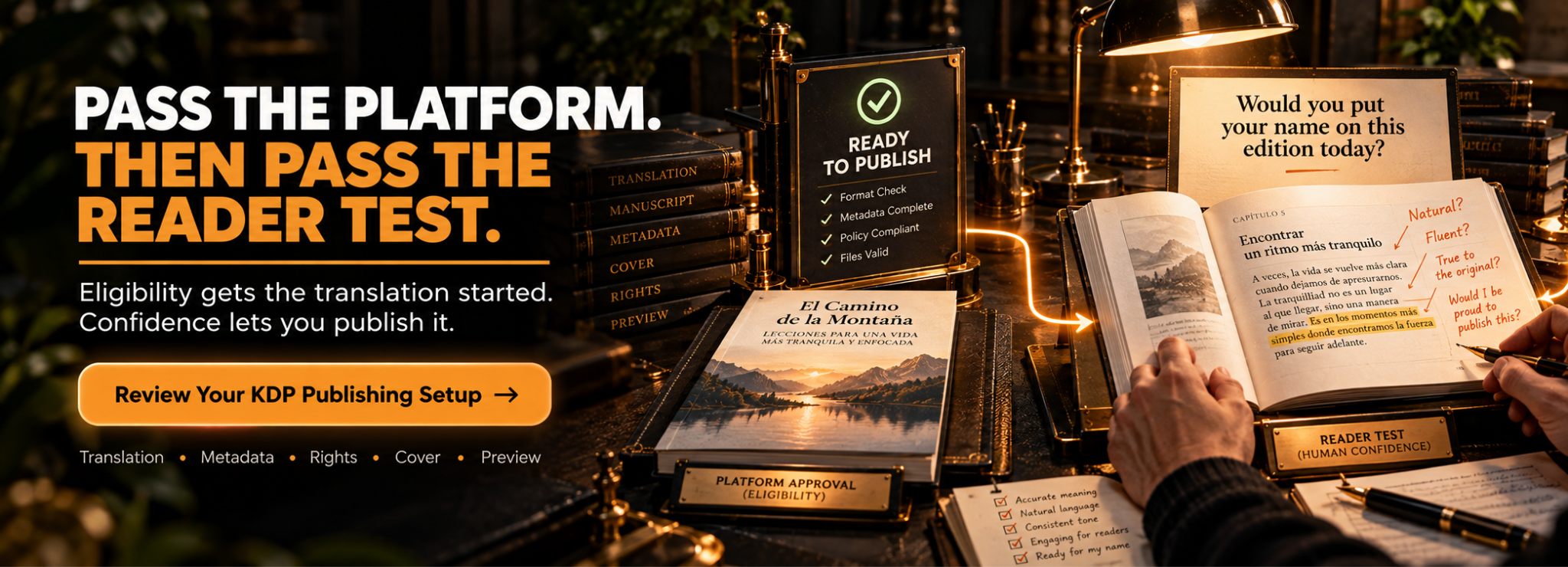
Final Thoughts: The Button Creates the Translation, Not the Decision
Kindle Translate removes a large technical barrier between one-language publishing and multilingual eBooks.
That is useful.
It does not make every eligible manuscript equally suitable for automated translation.
Start with eligibility.
Then inspect the content the software is being asked to translate.
Check names and terminology.
Put difficult passages in front of someone who genuinely understands the target language.
Preview the edition.
Confirm rights, cover and metadata.
And understand what happens if the translation was created outside Kindle Translate using another AI system.
The safest question is not:
“Can Kindle Translate publish this?”
Ask:
“Would I be comfortable if a reader who speaks this language bought this version today?”
If the answer is yes after all seven checks, publish it.
If the answer is still uncertain, the translation needs more work.
Check the Book Before You Add Another Language
If Kindle Translate not eligible is blocking the title, or the source eBook, metadata, rights or publishing setup still need review, solve that issue before treating translation as the next stage.
Amazon KDP Experts can review the book’s current publishing stage, while its KDP publishing support covers rights, territories, metadata, pricing, files, previews and author-approved submission preparation.
The author should retain control of the KDP account, rights, royalties and final publishing decision.