The book is finally published. Its Amazon product page opens from the link. Friends can even buy it. Then the author searches for the title, and Amazon seems to have no idea the book exists.
That is an unsettling moment, especially after weeks of editing, cover revisions, and launch preparation. A KDP book not showing in Amazon search can look like a publishing failure. Sometimes it is only a delay. Sometimes the author is searching in the wrong place. And sometimes the book is available but has not earned visibility for the phrases readers use.
The key is to find out which problem is happening before changing anything. At Amazon KDP Experts, publishing guidance and marketing support address different parts of that process. An author should not have to purchase advertising to solve a basic listing issue.
Key Takeaways
- Live does not always mean searchable yet. A working product page and a place in Amazon search are different things.
- Check the marketplace and format first. The wrong store or search department can make a book seem missing.
- Exact-title searches and reader-keyword searches test different problems. One checks whether the book can be found; the other tests how well it competes.
- Save evidence before changing metadata. A short record of what works and fails makes the next step clearer.
Why Is a Live KDP Book Missing From Amazon Search?
A book can be live on Kindle Direct Publishing (KDP) and still be absent from Amazon search because its search listing is processing, the search is happening in the wrong marketplace or department, or the title is affected by a content or metadata issue. If the book appears by its exact title but not by a broad subject phrase, the problem may be visibility rather than publication.
Amazon's official instructions for finding a published book provide a useful starting point. They distinguish the product page reached from the KDP Bookshelf from the search results shoppers see.
This distinction matters. A book that cannot open in its intended marketplace needs a publication or availability check. A book that opens and appears by title, but not for “cozy mystery with a seaside setting,” needs a different kind of investigation.
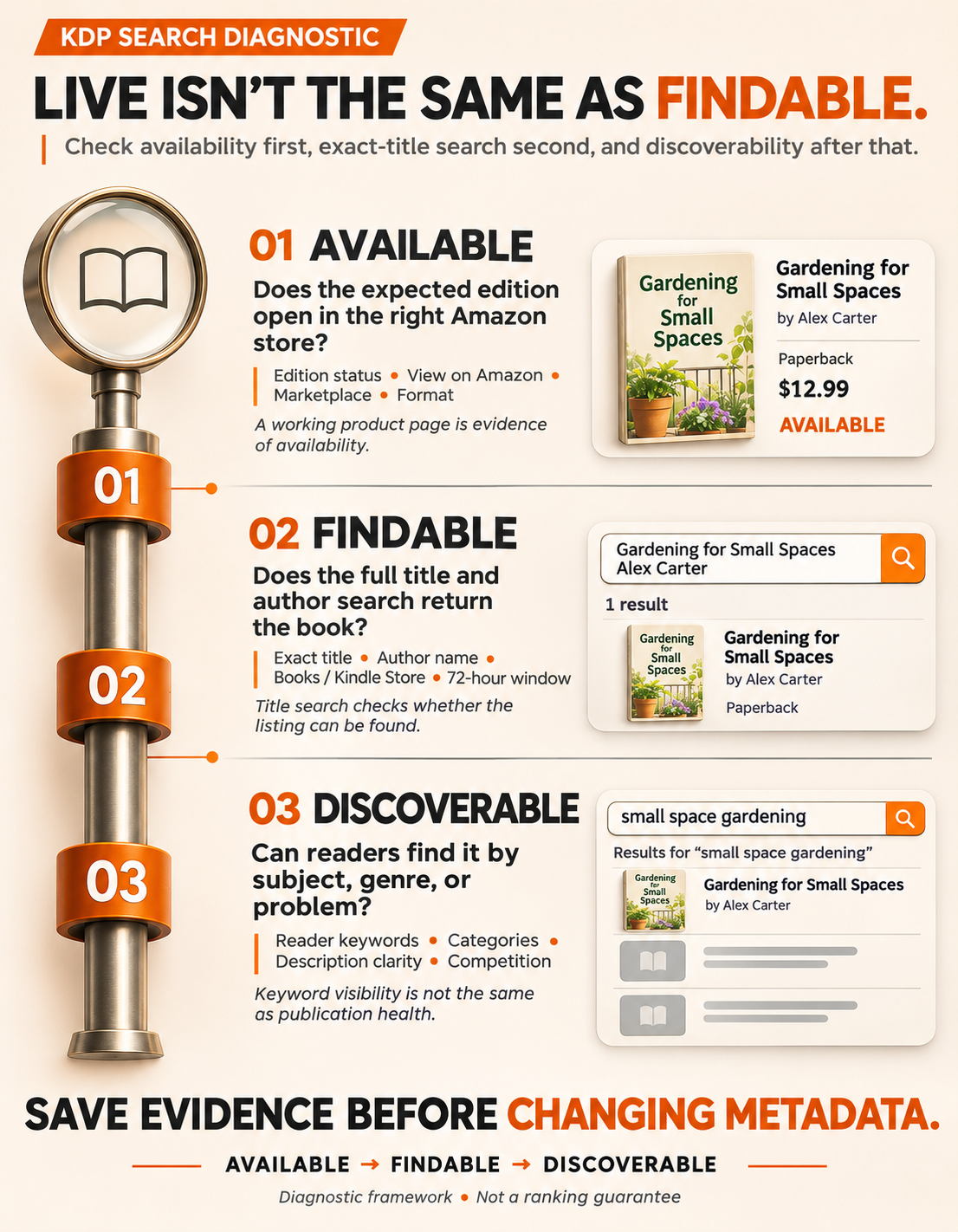
Think in Three Layers: Available, Findable, Discoverable
Available: The expected edition has a functioning product page in the intended Amazon store.
Findable: A specific search, such as the full title and author name, returns the book.
Discoverable: A reader who does not know the title can encounter it when searching for a subject, genre, or problem the book addresses.
Each layer depends on a different kind of evidence. Fixing the third cannot substitute for checking the first.
Seven Checks to Make Before Changing Your KDP Keywords
1. Confirm the right edition is actually Live
Open the KDP Bookshelf and find the title. Check the status beside the specific Kindle eBook, paperback, or hardcover edition, not just the project as a whole.
Select View on Amazon for that edition, then choose the store you want to check. If the page opens with the correct book details, that is evidence that the edition has a listing there. Save the product-page URL and the book's ASIN or ISBN where available.
If the link is missing, broken, or points to an unexpected page, investigate the publication status and any messages in the KDP account before treating the problem as a search-ranking issue.
2. Check when the book became Live, not when Publish was clicked
Amazon says a newly published or republished book can take up to 72 hours after it is Live to appear in its search results. That is the relevant published platform timeline, not a promise that every book will appear high in the results when the window ends.
The distinction between submitted, approved, and Live is easy to miss. Use the date the correct edition became available, then note whether a recent update or republication could also be processed.
For the broader sequence of editing, file preparation, submission, and review, see the existing guide to how long it takes to publish a book.
3. Search the correct Amazon marketplace and department
A book available on Amazon.com is not automatically being checked correctly when someone searches Amazon.co.uk or another marketplace. Start with the country shown by View on Amazon.
Then use Books for print editions or Kindle Store for ebooks. Try a private browsing window, clear filters, and repeat the search with the full title. Amazon recommends checking browser cookies and cache as part of troubleshooting.
If a paperback appears but the ebook does not, open the product page and inspect the available formats rather than assuming the ebook was never published. Store search results do not always present every format as a separate result.
4. Test the full title and author name before a genre keyword
Search in a sensible sequence:
- Full book title, spelled exactly as published.
- Full title plus the author or pen name.
- A distinctive part of the title, if the exact phrase produces unexpected corrections.
- One specific reader-facing search phrase that accurately describes the book.
Record which search works. A book found by its title but not by “romance novel” is not necessarily missing from Amazon's index. It may be competing against many better-established books for a very broad search.
Also inspect the displayed title, subtitle, author name, and spelling on the product page. A mismatch between what an author types and the live listing can be surprisingly easy to overlook.
5. Review book details, territory rights, and content settings
If the direct page works in one store but not another, review the territories selected for distribution and whether the expected edition is available there. Do not assume that identical search behavior across marketplaces is guaranteed.
Next, look for details that could affect ordinary search appearance. Amazon notes that sexually explicit titles or cover images can make a book ineligible for general product search. It also warns that excessively long titles can prevent normal search display.
The right response is to check the actual content and publishing settings against platform guidance. Do not change an accurate content declaration merely to force a listing to appear.
6. Audit reader keywords and categories only after the technical checks pass
If the title is findable and the product page is healthy, the author can turn to discoverability. Open the listing and ask what a reader would understand without knowing anything about the book.
Does the title communicate the subject or genre? Does the description explain the book clearly? Do the selected categories match what the reader is shopping for? Are the backend keyword fields relevant to the actual contents?
Amazon's keyword guidance for authors recommends accurate, reader-oriented search terms rather than generic claims, misleading names, and unnecessary repetition. A phrase such as small-town second-chance romance describes a reading preference more clearly than good books.
Keyword changes may help a suitable book become easier to discover, but they do not guarantee any particular ranking. Change a small number of relevant fields for a reason, record the changes, and allow published updates to be processed before evaluating them.
7. Check the competition before assuming Amazon is hiding the book
Search for a phrase a real buyer might use. Look at the first results and compare the reader promise they make through their cover, title, description, and category fit.
A new illustrated beginner cookbook may be available and searchable by name yet rarely appear for the enormous query cookbook. That is a competition problem, not proof of a technical fault.
In this situation, the practical next move is to improve the match between the book and a defined readership. A clearer description and accurate category placement are useful. Advertising may introduce a book to relevant readers, but it does not repair a missing product page or guarantee organic placement.
What Does Your Search Result Actually Mean?
| What the author observes | Most likely area to investigate | Best next action |
|---|---|---|
| KDP status is not Live | Publishing or review status | Check Bookshelf messages and the selected edition |
| Live, but the direct store link does not work | Product page, format, or marketplace availability | Verify store, edition, rights, and account notices |
| Direct page works; book was just published | Search processing | Check the Live date and allow Amazon's stated window |
| Found in one Amazon country but not another | Marketplace availability or store-specific search | Test the correct country and review distribution rights |
| Found by exact title but not by a broad keyword | Relevance or competitive placement | Review reader intent, listing clarity, and competitors |
| One format appears but another seems absent | Edition display and format availability | Check the product page's format choices |
| Missing after the stated window, even by exact title | Possible search or account issue | Save evidence and contact KDP Support |
The table is a diagnostic guide, not a way to prove exactly how Amazon ranks books. Search placement changes, and even a correct listing is not promised a top position.
Amazon puts it plainly in its official help documentation:
“Search results are dynamic and can fluctuate on Amazon's homepage.”
That is an important reminder. A search snapshot is a clue, not a permanent verdict on the book.
A Familiar Launch-Day Scenario: One Symptom, Two Different Fixes
Imagine an author who publishes a short guide for new vegetable gardeners. The paperback opens from the Bookshelf, but typing gardening into Amazon produces pages of established books instead. When the author searches for the exact title, the book appears. That points toward a discoverability challenge, not proof that the book is missing.
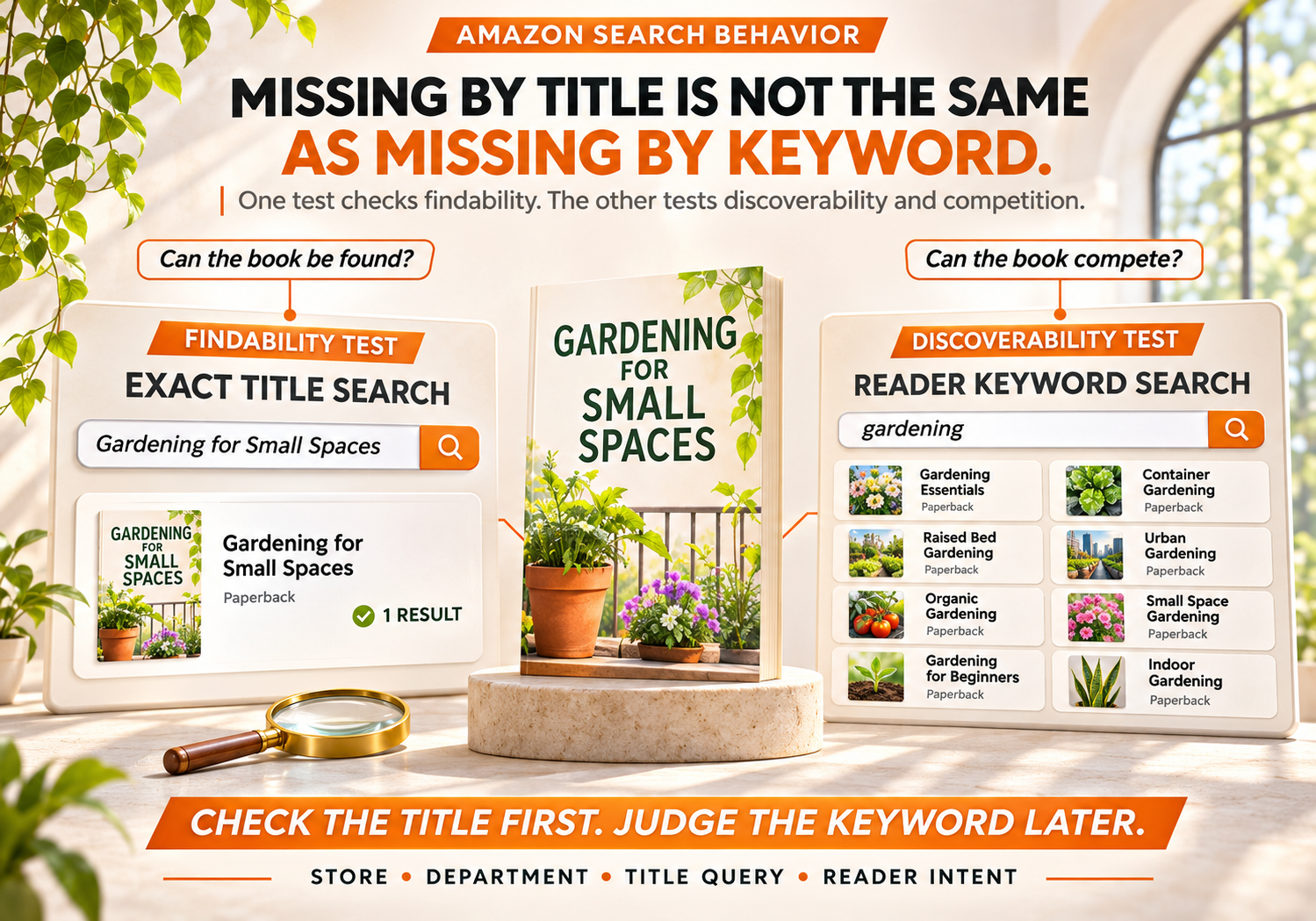
Now imagine the same title does not appear even when the full name is searched in the correct Books department after the stated search window. The direct page still works. That calls for documenting the marketplace, edition, and search results before asking KDP to investigate. The response should follow the evidence, not the author's level of worry.
Real-World Case: A Live Book Missing From One Marketplace
A publicly posted author account in the r/KDP community described a first book that could be opened through its direct KDP product link but did not appear when searched by title or pen name on Amazon.com. The author reported being able to find it in several other Amazon marketplaces.
The account is useful because it demonstrates how an author can have working availability in some locations and a search problem in another. Commenters suggested competing explanations, including content settings and indexing delays. The public discussion does not establish a verified root cause or a confirmed resolution, so neither explanation should be presented as fact.
The practical lesson is to document the specific store and search behavior before making changes. “My book is missing everywhere” and “my paperback opens on Amazon.com but does not appear when I search its exact title there” are very different problems to report.
What Most Authors Get Wrong About Amazon Discoverability
Mistake: Changing keywords immediately after publication
Do this: First test the direct page, the correct store, the title, and the Live date.
Not that: Replace every keyword because the book did not appear in a search on launch day.
Mistake: Treating a broad category word as an indexing test
Do this: Use the full title to check findability, then a reader phrase to assess reach.
Not that: Assume the book is blocked because it does not appear for fantasy or business books.
Mistake: Assuming promotional traffic fixes the catalog
Do this: Confirm the correct edition and product page work before planning campaigns.
Not that: Spend money on ads to repair a listing problem that needs platform support.
Mistake: Judging a book by one search from one browser
Do this: Record the marketplace, department, filters, query, and date.
Not that: Treat a single search result as a permanent ranking measurement.
The broader lesson is also covered in the existing article on self-publishing mistakes that delay first-time authors. Careful metadata and publishing checks are easier to manage before a release than during launch-day panic.
When Should You Contact KDP Support?
If the correct edition is Live, the direct listing is accessible, and the book still cannot be found by its identifying details after the stated processing window, support is more appropriate than random metadata revisions.
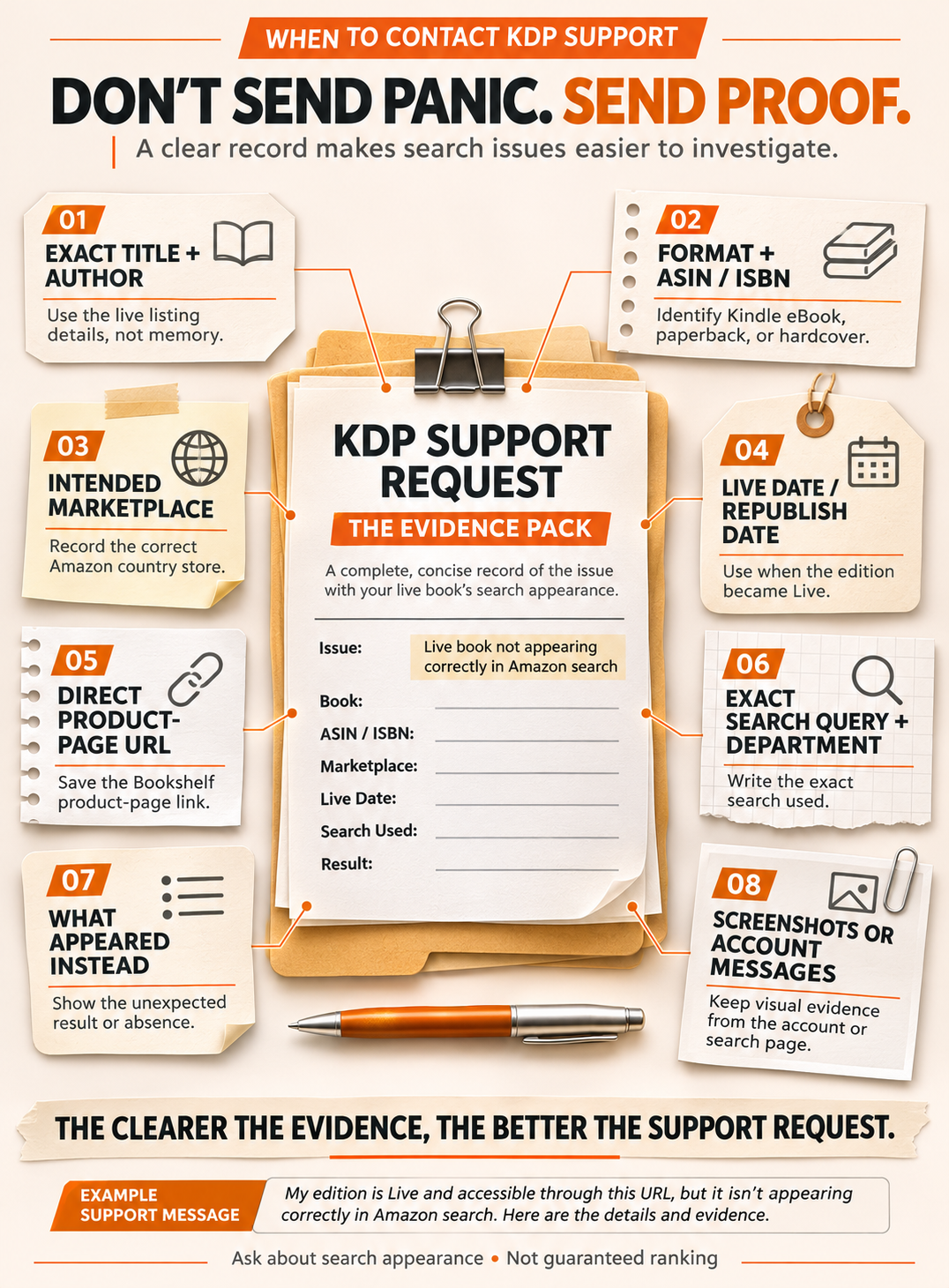
Prepare a concise record:
- The book's exact title and author name.
- The format and ASIN or ISBN, if available.
- The intended Amazon marketplace.
- The date the edition became Live or was republished.
- The direct product-page URL from the KDP Bookshelf.
- The exact search query, selected department, and what appeared instead.
- Screenshots of any account message or unusual result.
Then contact KDP through the support option in the publisher account. The request should ask about the title's search appearance in that marketplace, not insist on a particular ranking position.
Sample message:
My [format] edition, [title] by [author], is Live in KDP and accessible through this product-page URL: [link]. It became Live on [date]. On [marketplace], searching [exact title and author] in the [department] section does not return the book. I have checked the store and search filters. Could you review whether the title is eligible and appearing correctly in that marketplace's search results? The ASIN/ISBN is [identifier].
Support can investigate account and listing questions, but it cannot promise that a particular keyword will put a book at the top of Amazon search.
Once the Book Is Findable, How Can Authors Improve Visibility?
At that point, the conversation changes from fixing a problem to reaching readers.
The author should be able to explain the book in one natural sentence: who it is for, what experience or outcome it offers, and which genre or subject it belongs to. That sentence should agree with the cover, description, and categories.
For example, a practical guide to managing a first rental property should not rely on real estate as its only reader-facing idea. Buyers may be looking for landlord basics, tenant screening guidance, or first-time rental property management. Those are different needs, and the listing should accurately represent whichever the book truly covers.
Professional KDP publishing support may help with metadata checks, category decisions, and publication preparation. If the listing is sound but the challenge is attracting suitable readers, book marketing support addresses a different stage: positioning, promotional planning, and campaign evaluation.
Neither service can guarantee Amazon approval, indexing at a particular moment, sales, or a first-page position. A trustworthy recommendation starts by identifying what is genuinely wrong.
Final Thoughts: Find the Problem Before Paying to Fix It
A KDP book not showing in Amazon search deserves a careful check, not an instant overhaul. Begin with the published edition and its direct link. Confirm the right marketplace, format, and search department. Look at the time since the book became Live, then test whether readers can find it by its actual title.
Only after those checks should an author make decisions about keywords, categories, descriptions, or promotion. This order protects time, prevents unnecessary changes, and keeps the focus on what matters: making the right book available to the right readers.
If the issue is still unclear, share the book's stage and the symptoms rather than asking for a generic publishing package. A useful next step is a targeted review of the listing and the evidence already collected.
Need a Clearer Next Step?
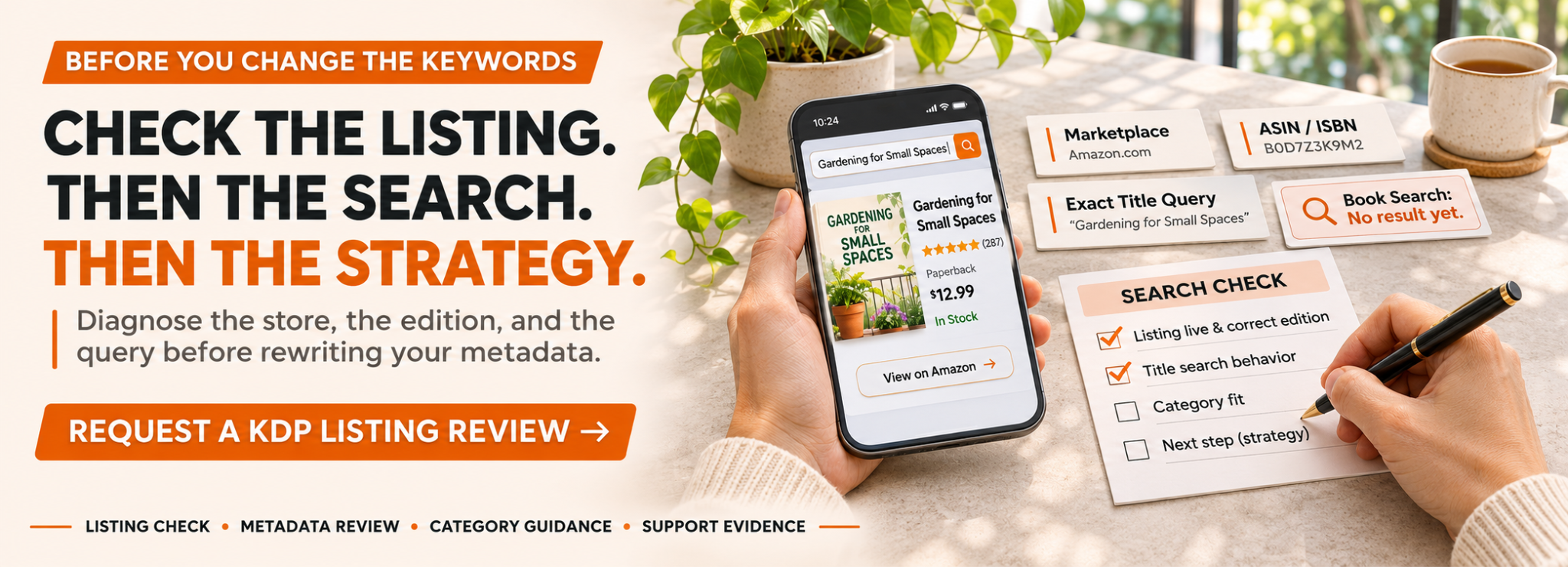
The goal is not to buy more services than the book needs. If the title is Live but its listing behavior still makes no sense, start with the diagnostic notes above and request a review of the publication setup or reader-facing listing. That creates a much better conversation than simply saying, “Amazon cannot find my book.”